
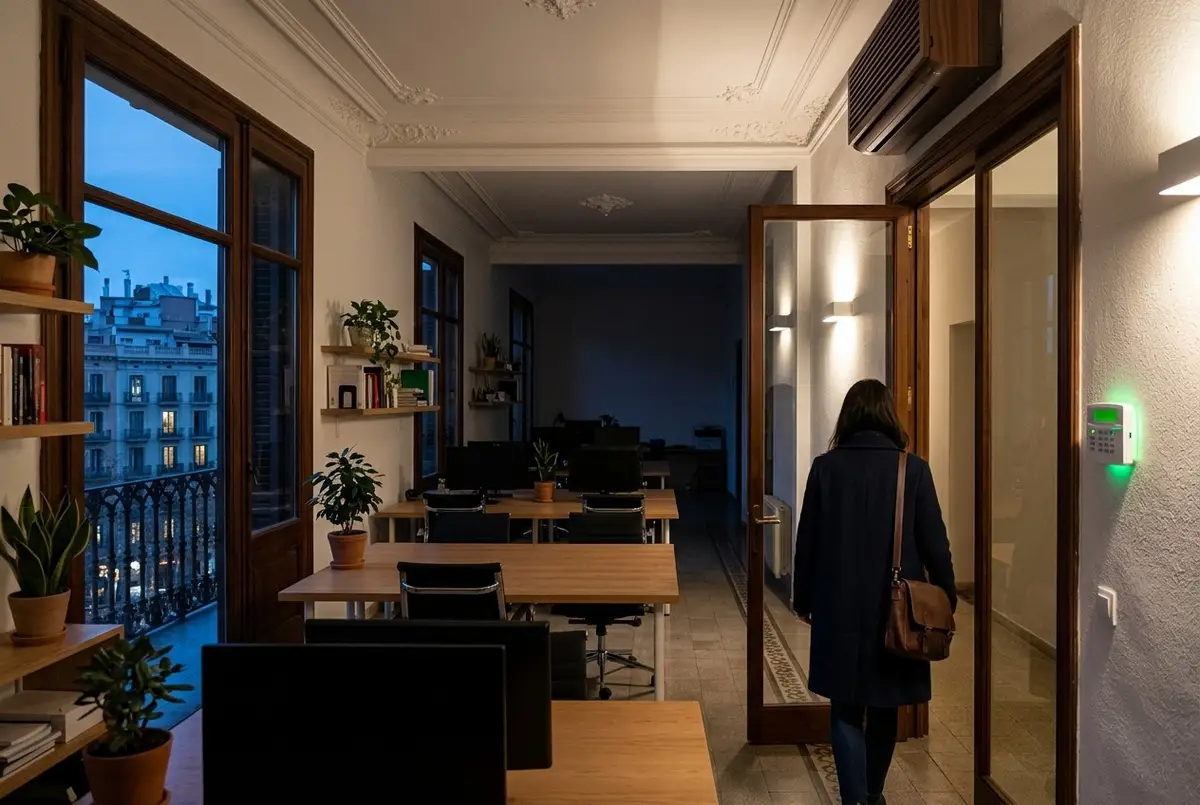
Tuesday, nine in the evening. There's nobody left in the office, but the lights at the back of the room are still on, the air conditioning in the meeting room has been running since the ten o'clock meeting this morning, and the screens, the printer and the coffee machine sit on standby waiting for someone to come back tomorrow. It's nobody's fault: the age-old rule, “last one out, switch off the lights”, has a design flaw — you hardly ever know you're the last one.
October also brings the heating, and with it the cost you notice least: nights and weekends spent heating empty offices. The answer isn't to stick yet another sign next to the light switch, but for the office to switch itself off: on a schedule, by presence and when you close up.
An office is empty seven hours out of ten
Do the maths for an ordinary office, open Monday to Friday from nine to seven. That's 50 hours of activity a week, and a week has 168: the office sits empty for 118 hours, seven out of every ten, not counting public holidays, long weekends or August. Everything left on during that time is money spent with nobody there to benefit.
And more gets left on than you'd think. The lights in areas nobody walks through any more; the heating or air conditioning — usually an office's biggest energy user — running for an empty room; and a long list of devices on standby: screens, printers, the coffee machine, the water heater in the kitchenette. Each one uses little on its own, but add them all up, multiply by 118 hours a week and you'll see it on the bill.
Three layers: schedule, presence and closing
An office that switches itself off doesn't depend on a single rule, but on three that complement each other.
1. The schedule
The foundation is a calendar that the office knows: working days, public holidays, summer hours, the August break. With it, the heating or air conditioning starts up a little before the first person arrives — so the room is at the right temperature by nine — and stops shortly before going-home time, making the most of the building's thermal inertia. The same goes for the general lighting and for the sockets powering devices that have no reason to spend the night on standby.
2. Presence, zone by zone
The schedule sets the framework; presence makes the decisions within it. The meeting room, toilets, kitchenette, archive room or corridors don't need lights or climate control if nobody's there, and one sensor per zone takes care of that. There's a detail here that makes all the difference: at a workstation you need a presence sensor, capable of detecting someone sitting still at their computer, not a motion sensor, which would switch the light off on someone who's been reading a contract for ten minutes. We explain this in more detail in our article on automatic lights and presence sensors.
The light fittings by the windows can also be dimmed according to daylight: on a clear Barcelona morning, the first row of desks barely needs any artificial light.
3. Closing up
The third layer is the one that solves the “last one out” problem. Instead of depending on anyone's memory, the office switches off when the last person sets the alarm or leaves using their code: at that moment closing mode kicks in, switching off the lights, the climate control and the sockets for screens, printer and coffee machine, and leaving on only what needs to stay on. It's the other half of something access control already does in offices and commercial premises: if the first person to arrive switches everything on as they come in, the last to leave switches everything off on the way out.
What never gets switched off
A well-designed closing mode also knows what it mustn't touch:
- The rack, the router and the UPS. The network, the phone system and the server need to stay up overnight: backups, remote access, updates.
- The kitchenette fridge, for obvious reasons.
- The cameras and the alarm, whose shift starts precisely when everyone goes home.
- The computers. Cutting the power to a computer that's switched on can lose work. What gets switched off is the screens and peripherals; the computers are shut down or put to sleep according to the company's IT policy.
What if someone stays late?
It's the most common objection, and there's an answer: the office never goes dark on anyone. As long as the sensor detects someone in their zone, that zone stays on even after hours; the rest of the office switches off. Before a zone goes off, the light dims briefly as a warning, and a button on the wall or the app lets you extend the lighting and climate control for another hour or two. Full closing mode only kicks in when the last person leaves.
Heating and air conditioning: the biggest cost and the easiest to forget
If you have to choose where to start, it's almost always the climate control. It uses the most energy and it's the thing most often left on, because you can't see it: a light left on in an empty office catches the eye from the street, but nobody notices a split unit heating an empty meeting room. Linking heating and cooling to opening hours and actual occupancy gets rid of that phantom cost: no air con at full blast in an empty room, no heating left on all night.
Two simple rules do the rest. Meeting rooms are only heated or cooled when they're in use. And if someone opens a window with the heating or air conditioning running, the climate control in that zone pauses until it's closed.
What the regulations already require
None of this is a new idea: it's what Spanish regulations already require of buildings above a certain size.
- Spain's building code, the Código Técnico de la Edificación (DB HE 3) (in Spanish), requires every zone in new non-residential buildings, and in renovations that replace their lighting, to have a centrally scheduled switching system, which in areas used only occasionally — toilets, corridors, stairs — can be replaced by timed presence detection. Under certain conditions, it also calls for systems that adjust the artificial light according to the daylight near the windows.
- The 2021 amendment to the Reglamento de Instalaciones Térmicas en los Edificios (RITE) (in Spanish), Spain's regulations on heating and cooling installations in buildings, requires non-residential buildings with more than 290 kW of heating and cooling capacity to have automation and control systems.
- And the 2022 energy-saving plan for the Administración General del Estado (in Spanish), Spain's central government administration, includes among its measures rationalising when the climate control, lighting and office equipment in its offices are switched on and off.
A small office in rented premises isn't required to do any of this. But the logic is exactly the same: if large buildings are obliged to do it, it's because it works.
Measure before you decide
The most honest way to find out how much you can save is to look at what the office consumes when nobody's there. The consumption at three in the morning on a Sunday is almost entirely wasted: whatever's on standby, whatever was left on, whatever never gets switched off but perhaps should be. With a meter on the fuse box you can see it within a week, and from then on every decision has a number behind it.
That's the starting point for the initial audit, which is free: it puts a figure on the savings you can expect in your particular case before you invest a thing.
How much you save and how much it costs
It depends on your starting point — an office where everything gets left on won't save the same as one where someone already makes a point of switching things off — but automating the lighting and climate control can cut electricity consumption by up to 40%. The real figure for your office is the one that comes out of the audit, not the one in a brochure.
Nor does the installation bring your business to a halt. Because we work with wireless systems there's no building work, and it's done after hours or in phases if necessary; most installations are completed in a single working day. Complete projects start from €2,500, and on our office and building automation page you'll find everything else we do in offices, hotels and commercial premises.
Common questions
What if someone's working late?
The office never goes dark on anyone. As long as a presence sensor detects someone in their zone, that zone stays on even after hours; the rest switches off. Before it does, the light dims briefly as a warning, and a push button or the app lets you extend the lighting and climate control in that zone for another hour or two. Full closing mode only kicks in when the last person leaves.
Do we have to replace the air conditioning or the light fittings?
Hardly ever. The usual approach is to control what's already there: modules behind the switches or zone control with DALI or Zigbee for the lighting, and your existing heating and cooling equipment integrated into the system, whether it's a split unit, a cassette or a ducted system. During the visit we check what each unit supports before proposing anything.
Can it be done in a rented office?
Yes. Because we work with wireless systems, there's no building work: battery-powered sensors, modules fitted behind the existing switches and a small server in the rack or in a cupboard. The structure of the premises isn't touched, and if the company moves, most of the equipment can be taken down and go with it.
Do the sensors monitor employees?
No. A presence sensor knows whether someone is in a zone, not who they are or what they're doing: it doesn't record images or sound. And because we install 100% local systems, schedules, energy use and access records are processed and stored on the installation itself, not on third-party servers. If there's also access control with individual codes for each employee, it's a good idea to let staff know, as with any log of who comes and goes.
What happens to the computers and the server?
Their power isn't cut: suddenly switching off a computer that's on can lose work, and the server, the router, the UPS and the network rack need to keep running overnight. Closing mode switches off screens, printers and the coffee machine, which are what sit on standby for hours; the computers are shut down or put to sleep according to the company's IT policy.
In short
An office is empty for most of the week, and almost all its wasted spending happens in those hours. To make it switch itself off, you don't need to rely on anyone's memory: a schedule the office knows, presence sensors zone by zone and a closing mode that kicks in when the last person leaves. Lights, climate control and devices on standby switch off on time, whatever needs to stay on stays on, and whoever works late isn't left in the dark. The rest is a matter of measuring: knowing how much the office uses when nobody's there is the best way to find out how much it can save.