
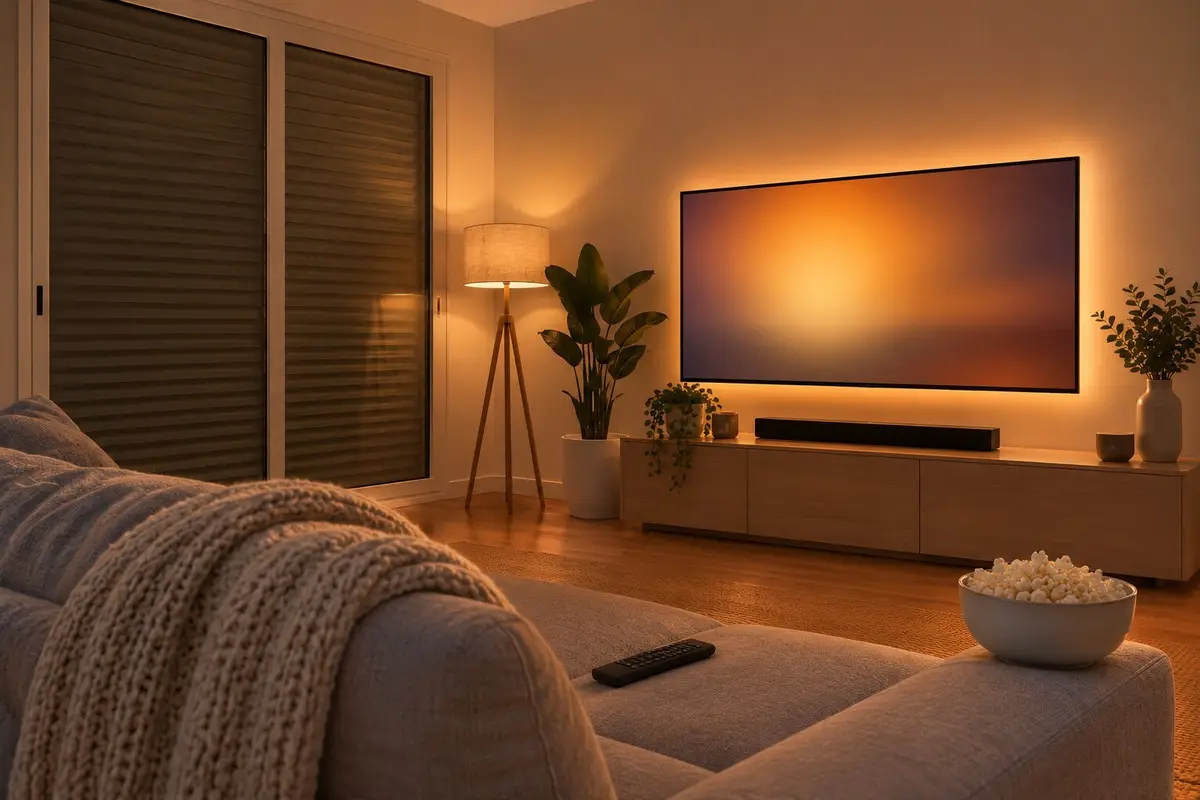
Friday night. Before the film starts you get up to lower the shutter, switch off the ceiling light, turn on the lamp in the corner and hunt for the soundbar remote. Then halfway through, the washing machine beeps over the speaker, the robot vacuum decides it's a good time to do the living room, or the air conditioning roars into life just as the scene goes quiet.
The cinema scene in the catalogues takes care of the start: it lowers the blinds, dims the lights and switches on the TV. The hard part comes later, during the film and at the end, when you're left in the dark or with the ceiling light on full. A good cinema mode gets the room ready, doesn't interrupt you and, when it's over, leaves the room as it was. This is how the one we set up works.
One command, and the room gets ready
You turn cinema mode on yourself when you sit down to watch a film: “Alexa, cinema mode” (or “film mode”, whatever you'd rather call it), a tap on the panel or a button by the sofa. Before changing anything, your home makes a note of how the room is, so it can put it back the same way. Then:
- The TV and its kit switch on. The TV, if it was off, and whatever sits next to it: the soundbar, the receiver, the Apple TV. A TV that can't be switched on over the network still comes on, with a smart plug, a button or an infrared remote.
- The lights dim gradually. The ceiling lights go off, the floor lamp stays at a low brightness of your choice, and the strip behind the TV comes on in the colour you prefer. It's the “film” scene from our smart lighting, but linked to everything else.
- The blinds and curtains come down, and the motorised screen with them, if there is one. If your blinds already move by themselves, as we explain in automated blinds and shutters, the sun control won't raise them again halfway through the film.
- The air conditioning goes quiet. If the air conditioning or the heat pump is on, it switches to the unit's quietest mode. It isn't turned off and the temperature doesn't change: it just stops making noise.
During the film: nothing to pull you out of it
When you pause to go to the kitchen, the lamp and the strip come up a little, just enough not to trip over the coffee table. Press play again and they dim back down.
If you get up, it pauses by itself
If nobody is left on the sofa for a while, the film pauses by itself, and when you come back it carries on where it was. That needs a presence sensor, not a motion sensor: a motion sensor can't see someone sitting still on the sofa and would pause the film at the best moment. The difference between the two is explained in lights that come on by themselves at dusk.
Your home goes quiet
If someone comes home, it doesn't greet them out loud. If the washing machine, the tumble dryer or the dishwasher finishes, the alert goes only to your phone, with no speakers, or waits until the film is over. You choose.
Nothing moves
The robot vacuum stops or heads back to its base as soon as you turn cinema mode on, and scheduled cleans don't start with people at home watching a film (how the robot works with the rest of the home is covered in a robot vacuum that cleans while you're out). Neither the presence lighting nor the sun control of the blinds touches the room: while the film lasts, the room is yours.
At the end: everything goes back to how it was
To finish, just switch off the TV with your usual remote. Cinema mode turns itself off, and it also does so if the home is left empty. Then:
- It only switches off what it switched on. If the soundbar was already on before, it stays as it was. You can also choose for it to switch everything off or leave everything alone.
- The lights go back to how they were. And if it's bedtime by then and night mode is on, the ones that were on are left at the home's soft night-time light, not at full brightness.
- The blinds go back to where they were, unless it's got dark in the meantime, when there's no point raising them, or someone moved them during the film. The screen goes back up.
- The air conditioning gets its previous fan setting back, unless someone changed it in the meantime.
Your home keeps all this in its memory, so even if the system restarts halfway through the film, it knows how to leave things at the end.
What your room needs (and how we quote for it)
Each part depends on what the room has. For the TV, it just needs to be controllable over the network or by infrared. For the lighting, some dimmable lights or a strip behind the TV. The blinds need to be motorised already to come down by themselves, and the automatic pause needs a presence sensor. And if you want a proper cinema room, we also install the motorised screen and the projector, working with everything else. You don't need it all at once: you start with what you already have and add to it later.
We don't give a fixed figure here, because it depends on what's already in the room and what you want cinema mode to do. We quote for it during the visit, with no obligation, as a one-off payment with no monthly fees. It comes with the same warranty as everything else we install: we guarantee our installation and configuration for 5 years. The devices carry their manufacturer's warranty (2–3 years), and we handle it for you.
Common questions
Will it work with my TV?
If your TV can be switched on over the network, cinema mode switches it on directly. If not, it still gets switched on another way: with a smart plug, a button or an infrared remote that does the same as yours. We check it during the visit with your TV and whatever sits next to it, such as the soundbar or the Apple TV.
Does it come on by itself every time I switch on the TV?
No. You turn cinema mode on yourself when you sit down to watch a film: by voice, from the panel or with a button. Switching on the TV to watch the news won't lower the blinds or turn off the ceiling light.
Do I need Alexa?
No. Voice is handy, but cinema mode also works from the panel or a button by the sofa, just the same. If you already have Alexa, just say “cinema mode”, or “film mode”, whatever you'd rather call it.
What if I have a projector?
Even better: when cinema mode comes on, the motorised screen comes down along with the blinds, and it goes back up at the end. If you don't have a screen or a projector yet, we install those too, working with the rest of the room.
Will I find out when the washing machine finishes?
Yes, but without it pulling you out of the film. You choose: the alert goes only to your phone, with no speakers, it waits until the film is over, or it arrives as usual.
In short
A cinema scene lowers the blinds and switches off the light. A well set-up cinema mode does that with a single command and then looks after what happens next. During the film, it brings the light up when you pause, pauses if you get up, holds back the alerts and stops the robot. At the end, it puts the room back exactly as it was. What makes it comfortable isn't switching the light off: it's not having to remember to switch it back on.