
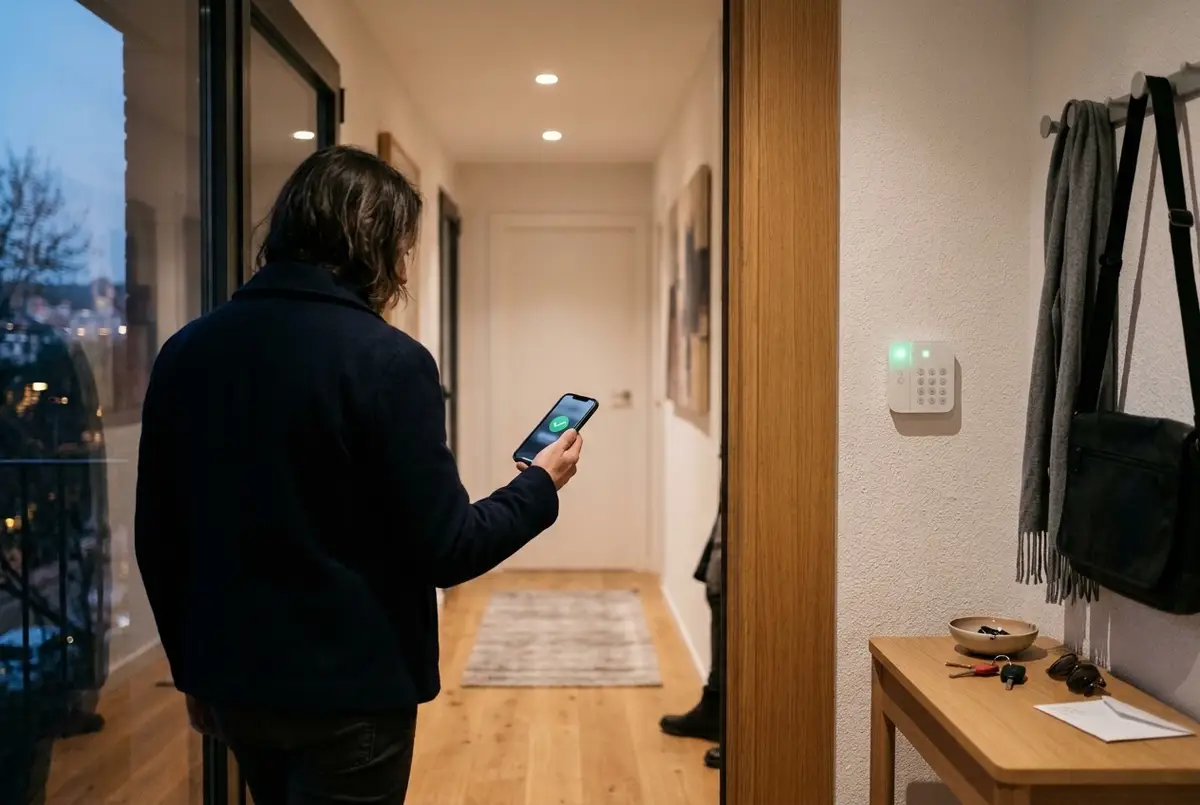
Plenty of people already have a Verisure contract and, when they start thinking about a smart home, ask themselves the same question: will I have to choose? Either the usual alarm, with its monitoring centre and its app, or a home that switches the lights off, lowers the blinds and takes care of everything by itself. As if the two couldn't live together.
They can. There's no need to change alarms: it's still Verisure's, with its monitoring centre and its contract, and the home arms and disarms it for you. With some caveats worth knowing beforehand, which we set out here as they are.
What you can do
Once it's part of the smart home, the alarm no longer depends on you remembering:
- It arms itself when the last person leaves, with the door closed, and tells you if a window has been left open.
- It disarms when someone from the household arrives and opens the door, with no dash to the keypad.
- Night mode at bedtime. With a 'good night' it arms in partial mode, if your alarm has it, and disarms in the morning.
- The Verisure smart lock. When you arrive, your phone asks 'Shall I open the door?' and opens it with one tap; it never opens by itself. And when you say good night, the home tells you if it hasn't been locked. The lock itself can already lock up when you set the alarm (according to Verisure, in Spanish).
- Everything in one place: the alarm and the lock on your phone, on a wall panel or by voice, alongside the lights, the climate control and the blinds.
It's the same as you can do with the Verisure app, but at the right moment and without thinking about it. And if having a connected front door worries you, we cover what to look for in are smart locks safe?.
How it connects, and why the built-in one doesn't work in Spain
The smart homes we install run on Home Assistant, which comes with a Verisure integration. The catch is that its own documentation notes that some users can't get it working in Spain (Home Assistant documentation): Verisure doesn't use the same system in every country.
For Spanish accounts there's a community integration, Verisure OWA, that does support them (its documentation). It arms in full, partial (day or night, depending on your installation) or perimeter-only mode, disarms and operates the lock.
It's set up with your Verisure account, with an SMS code if your account asks for one. The cleanest approach is to create a separate user for the home in the My Verisure app, so your personal password isn't used. And it's worth taking it slowly: Verisure locks the account after several failed sign-in attempts.
What it doesn't do (and is worth knowing beforehand)
- It can't see your sensors one by one. Verisure's connection doesn't provide the status of each door or window; the integration's own documentation explains this. To tell you a window is still open, the home uses its own opening sensors.
- It depends on the internet and on Verisure's servers. If the connection drops, the alarm keeps protecting the home on its own, but the smart home can't arm or disarm it until it's back.
- There's a short delay. If you arm it from the keypad or the app, the home takes a couple of minutes to find out: by default it checks the status every two minutes, because Verisure blocks requests that come too close together.
- It isn't an official Verisure integration. It's maintained by the community; if Verisure changes its system, it may fail for a while until it catches up.
- The monthly fee stays the same. Integrating it doesn't change your contract: you pay the same and get the same, plus a home that uses it for you.
A real case in Sabadell
In a new-build flat in Sabadell, the client already had Verisure with its smart lock. We didn't change a thing: we integrated it with the rest of the home. Now it arms itself when the last person leaves, disarms on arrival, the phone asks whether to open the door and, when you say good night, the home flags if the lock hasn't been locked. All of it works alongside the heat pump, the blinds and a wall panel with a plan of the home.
And if you're thinking of leaving Verisure?
Integrating it is the way to go if you're happy with Verisure. If it's the monthly fee that bothers you, there are also alarms with no monthly fees that are part of the same smart home; we compare what each option gives you in alarm with or without monthly fees.
What you need
- A Verisure contract and access to the My Verisure app.
- A small server at home running Home Assistant, which decides when to arm, disarm or open.
- Opening sensors on the doors and windows you want to keep an eye on, for the alerts.
- If you have the Verisure smart lock, its code.
It's quoted during the visit, with no obligation, depending on what's already in your home. With the same warranty as everything else we install: we guarantee our installation and configuration for 5 years. The devices carry their manufacturer's warranty (2–3 years), and we handle it for you.
Common questions
Does Verisure's monitoring centre still respond?
Yes. The alarm is still Verisure's, with its monitoring centre and its contract: if it goes off, they act as always. The smart home only does for you what you'd do with their app, arming and disarming it at the right moment.
What happens if the internet goes down?
The alarm keeps working on its own, as before. What the home can't do while there's no connection is arm or disarm it, because the commands go through Verisure's servers; as soon as the internet is back, everything carries on as it was.
Can I still use the Verisure app and keypad?
Yes, just as now. If you arm or disarm it from the keypad or the app, the home finds out within a couple of minutes: by default it checks the status every two minutes, because Verisure blocks requests that come too close together.
Does it work with the Verisure smart lock?
Yes. It locks and unlocks with its code, which is stored in the home's settings and never written into an automation. When you arrive, your phone asks 'Shall I open the door?' and opens it with one tap; it never opens by itself.
Can the smart home see Verisure's sensors?
Not one by one: Verisure's connection doesn't provide them. To know which door or window is still open when you leave, the home uses the smart home's own opening sensors, which also switch the heating off if you open a window.
In short
Having Verisure doesn't stop you having a smart home: it integrates, arms itself when you leave, disarms when you arrive and its lock opens from your phone with one tap. It has its limits (it can't see the sensors one by one, it depends on the internet and it isn't official), and they're worth knowing beforehand. You don't need to change alarms for your home to work for you: the alarm and the home just need to talk to each other.