
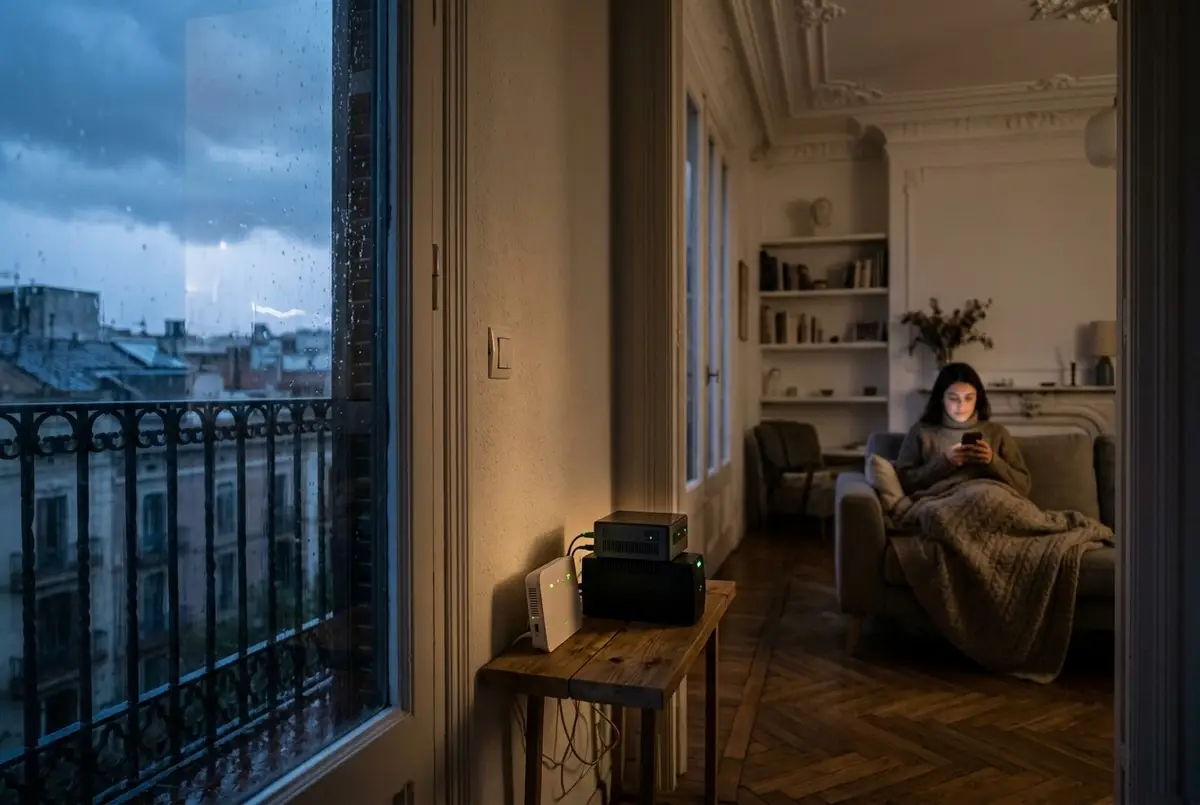
The first autumn storms bring back a question we're often asked — all the more since the great blackout of 28 April 2025, when the entire Iberian Peninsula was left without power for hours: if my home is smart and the power goes out, am I left with a house that can't do anything? It's a reasonable concern. If everything goes through a system, it seems logical to think that without the system, nothing works.
The short answer is reassuring: during a blackout, a well-automated home behaves exactly like an ordinary one — no better, no worse — and when the power comes back, it starts up on its own, picks up what it was doing and tells you what happened. The long answer has its nuances, and they're worth knowing before the next gota fría, the torrential autumn storms we get on the Mediterranean.
During the power cut: what keeps working
Let's start with the obvious, which sometimes gets forgotten: without power, nothing plugged into the mains works, home automation or not. The living room light won't turn on from the app, but it wouldn't turn on with a good old-fashioned switch either. Home automation doesn't add that problem; what it can do is help the house cope with it better.
Because part of the installation doesn't depend on the socket:
- The smart lock runs on its own batteries: it opens just the same with a key, a code or your phone right at the door. A blackout neither locks it up nor leaves it open.
- The sensors for doors and windows, motion and water leaks run on batteries that last for years. Smoke and carbon monoxide detectors also have their own siren and their own battery: they beep with or without power.
- The alarm control panel has a backup battery, so a power cut doesn't switch it off: if someone forces the door in the dark, the siren still goes off.
- Smart radiator valves and most smart thermostats also run on batteries and keep their schedules. The boiler, however, needs power to run — with or without home automation — so the heating stops until the power comes back.
And there's another part that stops like any other appliance: the lights, motorised blinds, air conditioning, irrigation and, most importantly, the router and the small server that acts as the brain of the house. Without them, the sensors keep detecting, but nobody picks up their alerts or sends them to your phone. That's the piece that can be protected.
The UPS: the small piece that changes the outcome
A UPS — uninterruptible power supply — is a shoebox-sized battery that sits between the socket and the devices that mustn't shut down abruptly. When the power goes, it keeps supplying them without them noticing the cut. In a smart home, very little gets plugged into it: the router, the fibre box and the server. Between the three of them they use so little power that a small home UPS comfortably covers brief power cuts, which are the most common.
With that sorted, the house can do three things it couldn't do without it:
- Alert you to the cut as it happens, not when the power comes back. The UPS tells the system it's running on battery, and the system lets you know on your phone.
- Keep working during the cut: it collects the alerts from battery-powered sensors — a leak, a door opening — and sends them to you.
- Shut the server down properly if the cut drags on and the battery runs out. It's a technical detail with real consequences: a computer that switches off abruptly while writing to disk can corrupt it, and a damaged server is the only thing that turns a blackout into a breakdown. In Home Assistant, the system we work with, this is set up with the NUT integration, which reads the UPS status and acts accordingly.
One caveat worth knowing: if the blackout covers the whole area, whether you have internet also depends on your provider's equipment holding out — it has its own batteries, but they don't last forever. During the April blackout, mobile networks gradually lost coverage as the batteries in the masts ran down. In those cases the house keeps working inside, but the alert to your phone doesn't go out until the network comes back. In an isolated house, the 4G router with a data SIM that we explain in our guide to second homes adds a second way out that doesn't depend on fibre.
When the power comes back: keeping the house from acting up
The tricky moment in a blackout isn't the cut, it's the return. Everything starts up at once, and a badly configured installation shows it: it's three in the morning, the power comes back and every bulb in the house turns on. It's not a fault. Many smart bulbs come from the factory set to turn on when they receive power — that way they behave like a normal bulb when someone flicks the switch — and if nobody has changed that setting, that's what they do after a power cut.
It's corrected in the settings: each bulb or module can come back off or in the state it was in. It's one of those details that never appear in any brochure, and that separate a house that gives you a fright from one that simply comes back. The same goes for everything else:
- Blinds stay where they were when the power went, and the wall switch moves them again as soon as there's power. What they don't do is open by themselves for no reason.
- Heating and irrigation pick up their schedules again: the thermostat knows what time it is and what temperature it should be, and the irrigation controller resumes its calendar where it left off.
- The server starts up on its own and within a couple of minutes it's back in charge. The home's radio network — Zigbee, Z-Wave or Thread — rebuilds itself, and the battery-powered sensors, which never switched off, start reporting again.
- You get a summary: “the power is back; the cut lasted 47 minutes”. If there's a temperature sensor with a probe in the freezer, you'll also know whether the temperature rose and by how much, which is what decides whether the food can be saved.
There's one more protection that isn't home automation but is worth checking: when the power comes back, it sometimes does so with a voltage spike. The UPS protects whatever is plugged into it; for the rest of the house, what steps in is the surge protector in the fuse box, if there is one. If you don't know whether yours has one, that's a question for an authorised electrician.
A blackout, or is it your fuse box?
Not every “the power's gone” is a blackout. If the lights work in the stairwell but not in your home, the problem is in your installation and not the power company's, and it's almost always one of two things. The RCD (residual current device) trips when it detects a current leak, and on rainy days it's a classic: water in a socket on the terrace or in an outdoor light fitting. The power limiter — these days almost always the digital meter itself — cuts the supply when you draw more than your contracted power: oven, hob, washing machine and water heater all at once.
The second case can be fixed without increasing your contracted power. With a meter in the fuse box, the house knows at every moment how much it's consuming and can make whatever isn't urgent wait — the water heater, the washing machine, the car — so the rest doesn't lose power. We explain it in detail in our guide to charging your electric car at home without tripping the electrics, which is where this problem crops up most often.
Why a cloud-free home comes back sooner
There's a difference you only notice on the day of the power cut. With consumer home automation, every command travels to the manufacturer's servers and back: for the house to work after the blackout, the router has to have started up, the internet has to be back and every device has to have reconnected to its cloud. If the connection is slow to return — and in an area-wide blackout it can take longer than the power itself — the house is left half-working: the lights come on with the switch, but the automations wait.
With cloud-free home automation, that round trip doesn't exist. The brain is at home, automations run on your local network and devices talk directly to the server. As soon as there's power and the server has started, the house is back to how it was, internet or no internet. The internet is only needed for whatever leaves the house: the alert to your phone and remote control.
How much it costs to get it ready
Less than you might think, because almost all of it is configuration: how each light comes back, which alerts get sent, what each automation does on start-up. That's all done during the installation. The only thing bought separately is the UPS, which is chosen according to what it has to power and how much margin you want; we'll quote for it at the visit, along with everything else.
If you're starting from scratch, a complete smart home installation starts from €2,500, with a no-obligation visit and quote. And if you already have home automation, tell us which system it is and we'll tell you what it would need to get through the next power cut without any scares.
Common questions
Can I turn the lights on at home during a blackout?
No: without power, nothing connected to the mains works, whether it has home automation or not, and that includes the bulbs. What does keep working is everything that runs on batteries — the lock, the sensors, the smoke detectors — and the alarm, which has its own battery. For getting around at night, the most practical option is a plug-in emergency light in the hallway: it charges while there's power and switches itself on as soon as the power goes.
Do power cuts damage the smart home system?
A normal power cut, no: bulbs, modules and sensors are made to lose power and come back. The delicate part is the server, because an abrupt shutdown while it's writing to disk can corrupt it; that's why it should be plugged into a UPS that shuts it down properly if the cut drags on, and run on a solid-state drive rather than a memory card. The other risk is the voltage spike when the power comes back, which the UPS itself and the surge protector in the fuse box guard against.
Does the smart lock get stuck if the power goes out?
No. The lock doesn't depend on the electrical installation but on its own batteries, so it opens just the same with a key, a code or your phone at the door. What a power cut does interrupt is the home's internet connection — unless the router is on a UPS — and with it, checking and unlocking the door remotely; unlocking it at the door itself keeps working.
Why do all the bulbs come on when the power comes back?
Because many smart bulbs leave the factory set to turn on when they receive power, which is how a normal bulb behaves when you flick the switch. After a blackout, that means they all come back on — at three in the morning, too. It's changed in the settings: each bulb or module can come back off, or in the state it was in before the cut. In a well-done installation, that setting is sorted from day one.
Will I find out if the power goes out while I'm not at home?
It depends on whether the router and the server are on a UPS. If they are, the house alerts you the moment the power goes and keeps passing on the sensors' alerts for as long as the cut lasts. If not, you find out when the power comes back: the system starts up on its own and tells you there's been a cut and how long it lasted. There's one limit that doesn't depend on the house: in a blackout that hits the whole area, the alert needs your provider's network, fixed or mobile, to keep working.
In short
A blackout doesn't turn a smart home into a useless one: during the cut it behaves like any other, with the advantage that the lock, the sensors and the alarm carry on doing their job thanks to their batteries. What makes the difference is preparation: a UPS for the router and the server, a configuration that decides how each thing comes back, and a system that runs locally. With that in place, the next power cut will be what it should be: a while in the dark, an alert on your phone and a house that, when the power returns, is exactly where you left it.