
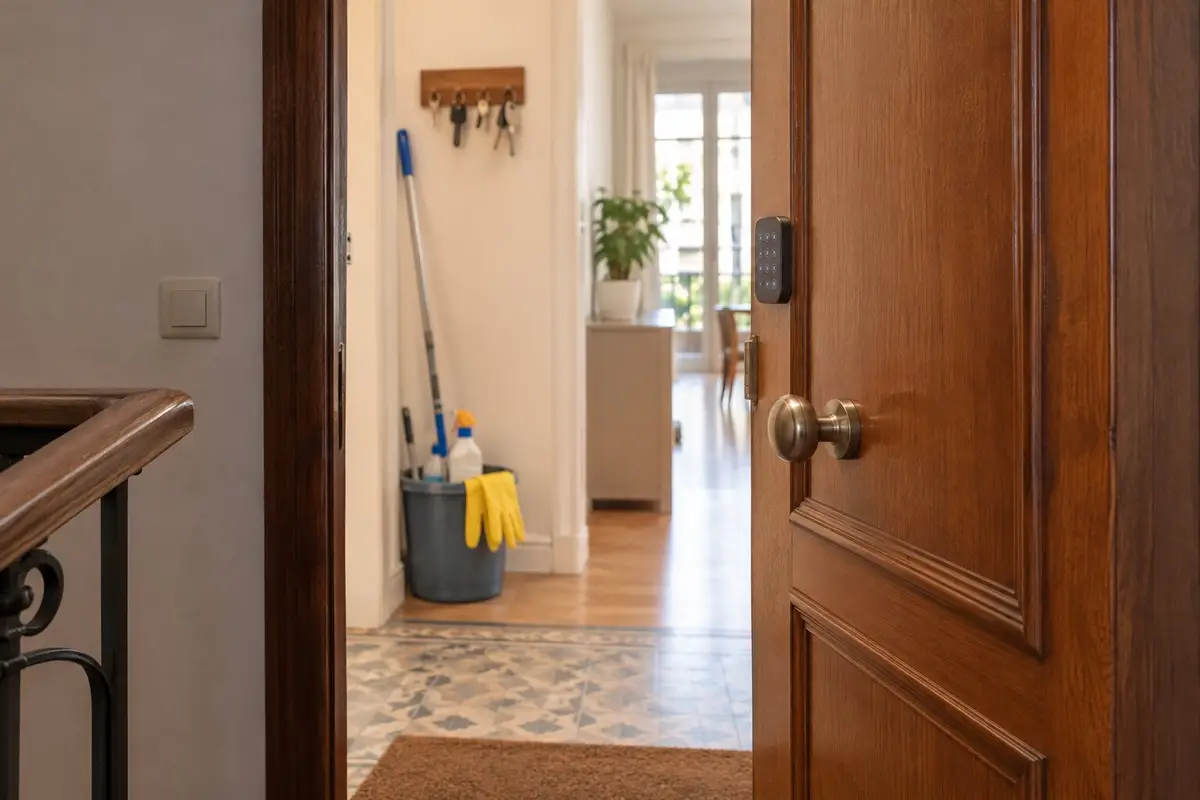
Years ago you gave a spare key to the person who cleans your home. Ever since, that key has opened your door on any day and at any time, and there is no way of knowing when it is used, or of taking it back without asking for it. It isn't a matter of trust: a key knows nothing about timetables.
With a keypad lock, a personal code sorts that out. But the code is only half of it. The other half hardly anyone mentions: if your home is automated and none of the family is in, it thinks it's empty while someone is cleaning. It arms the alarm, switches off the lights or sends out the robot vacuum. Here is how both things are solved.
The trouble with a spare key
- You can't take it back. If the arrangement ends, or the key is lost, the only safe answer is to change the cylinder.
- You don't know when it's used. It opens just the same at ten on a Thursday morning as in the small hours of a Sunday, and leaves no trace.
- It doesn't tell people apart. If someone else covers for a day, the key is passed from hand to hand.
With a smart lock, your own keys carry on working as always, and anyone coming from outside gets something else: a code. If what holds you back is the battery, or the fear of being locked out, we answer that in our guide on whether smart locks are safe.
Their code, not yours
Each person has their own code. The family's code isn't shared, and the cleaner's carries a name: the lock's log shows “Marta”, not “code 3”. So you know who opened the door, not just that somebody did.
That code goes with a schedule: the days the cleaner comes and the times they arrive and leave. What happens outside those hours is up to you:
- Let them in and tell you. If the cleaner comes on another day or at another time, the door still opens and you get an alert that they have arrived outside their hours. This is the default.
- Keep the door shut. Outside those hours, with half an hour either side, the code doesn't open the door. This depends on your lock supporting it.
If you don't want a keypad on the door, there are other ways for your home to know the cleaner has arrived, none of which needs an app: a tag held to a reader by the entrance, their phone joining your home Wi-Fi, or a button you tap when you see them come in.
What nobody mentions: your home thinks it's empty
An automated home does things when the last of the family leaves: it arms the alarm, switches off lights and TVs, sets the heating or air conditioning to away, sends out the robot. That is exactly what you want, except on the days when someone is still inside, working.
With the cleaning module, while the cleaner is in, your home doesn't count as empty. All of that happens when they leave, if nobody else is left. And if you are the last one out and say “I'm off”, your home answers: “The cleaner is still home: I'll leave everything as it is.”
If one day nobody marks that the cleaner has gone, the mode switches itself off four hours after they arrived. You can change that time.
The alarm: no false alarms, and no home left disarmed all day
There used to be two poor options: hand over the family's alarm code, or leave your home disarmed all morning. If the alarm runs on the same system, there is a third:
- On arrival, the alarm only disarms itself if the cleaner comes in with their code or their tag. Wi-Fi isn't good enough here: a phone joining the network doesn't prove who walked in.
- On leaving, if nobody is left, it arms as usual.
- If it stays disarmed, a few minutes later you get an alert with an “Arm” button.
While the cleaning is under way
The indoor cameras stay in privacy mode, just as they do when you have guests. If you would rather they record, the cleaner has to know beforehand. The Spanish Data Protection Agency says so in a note on cameras in the homes of older people (in Spanish): when a domestic worker is employed in the home, they must be told expressly and clearly that there are cameras, and cameras can't be placed in toilets. Where you can and can't record is covered in our guide to home security cameras with local recording.
The rest of your home adapts too, if you want it to:
- Your home gets ready. On arrival, the blinds go up, the lights come on if it's dark and the heating or air conditioning is set to a comfortable temperature, or switched off for airing. When the cleaner leaves, everything goes back to how it was.
- The robot vacuum stays in while the cleaner is there and just afterwards. It can run the day before, so the cleaner does the rest. How it works with the alarm is in a robot vacuum that cleans while you're out.
- If the doorbell rings, the alert goes to every phone and says who is at home.
- When the washing machine finishes, the alert also plays on the speakers, so whoever is cleaning hears it.
When they leave: the check
An example. Marta comes on Thursdays from 9:45 to 11:55. At 9:45 the door opens with Marta's code and you get an alert that Marta has arrived, with the time and how. At 11:55 the door is locked from outside with the same code, and that alert is replaced by another: Marta has left, and what was left behind. Today, the living-room window open and the kitchen light on.
The check looks at what matters when a home is left empty: open windows, a door that hasn't been locked, lights or TVs left on, a washing machine with the laundry still inside. If lights are on, the alert comes with a button to switch them off, and you do it from work. The window you close when you get home, but at least you know. And the time Marta came in and the time Marta left are both logged.
If one day the cleaner doesn't turn up on time, you find out as well: after a margin, you get an alert that they haven't arrived.
The day someone else comes
If someone covers for your cleaner, there is no need to pass on anybody's code. From your phone you create a one-day code: six digits that work until 23:59 and then remove themselves. It is shown only once, when you create it, and whoever uses it appears in the alerts as the stand-in.
And the day they stop coming
Their code is removed and stops opening the door there and then. Nobody changes the cylinder, and nobody has to remember to ask for a set of keys back.
What it takes
A keypad lock, or a tag reader by the entrance, and a door that can take it. We check that at the visit, with the door in front of us. The lock, the video door entry system and how we fit them are on our smart locks and access control page, along with the price.
We quote at the visit, free and with no obligation, as a one-off payment with no monthly fees. It carries the same warranty as everything we install: we guarantee our installation and configuration for 5 years. The devices carry their manufacturer's warranty (2–3 years), and we handle it for you.
Common questions
Does the cleaner have to install an app?
No. The cleaner comes in by typing a code on the lock or holding a tag to the reader by the door, and the home knows who it is. No phone or account is needed.
Can the cleaner come in on a day that isn't theirs?
You choose. By default the door opens and you get an alert that the cleaner has arrived outside their hours. If you prefer, the code only works during those hours, with half an hour either side, as long as your lock supports it.
Can I leave the cameras recording while the cleaner is in?
While the cleaner is in, the indoor cameras stay in privacy mode. If you would rather they record, the cleaner has to know beforehand: the Spanish Data Protection Agency asks you to inform anyone working in the home expressly and clearly, and does not allow cameras in toilets.
What if the cleaner forgets the code?
You open the door from your phone, wherever you are, or hand out a one-day code. And your usual keys still open the door.
Does it work for a babysitter, or for whoever waters the plants?
A personal code with set hours works just the same for a babysitter, for someone watering the plants or for builders. A home that waits and tells you how things were left is what the cleaning module adds.
In short
A spare key always opens the door, never tells you and can't be taken back. A personal code opens during set hours, carries a name and is removed whenever you need. And with the cleaning module, your home knows someone is working inside: it doesn't arm with them in, it keeps the cameras in privacy mode and, when they leave, it tells you how everything was left. A key only opens the door; a code also knows who comes in, and when.