
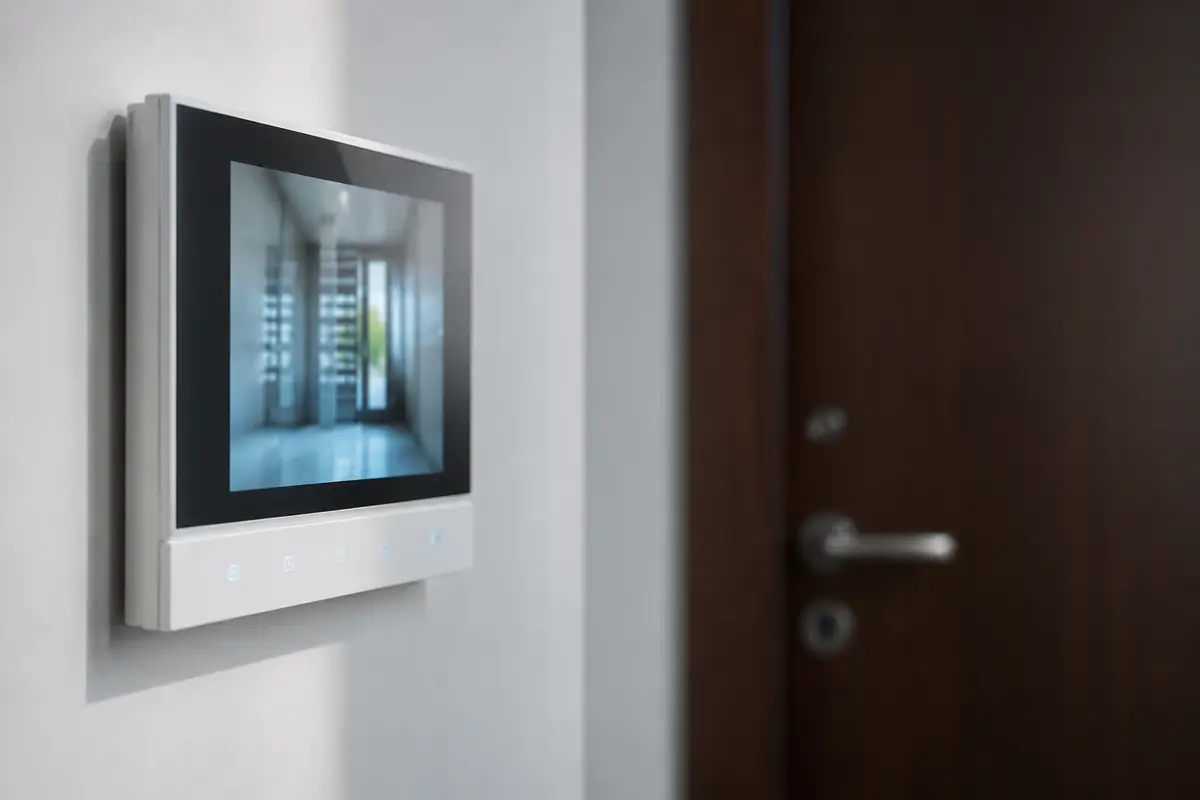
There's a device in your home that still works exactly as it did forty years ago, and it's hanging in your hallway. Everything else has changed: the TV, the thermostat, even the washing machine pings your phone when it's finished. Not the intercom. It buzzes, you dash down the corridor and, by the time you pick up, the courier has already gone. And if you weren't home, you never even found out that someone called.
The good news is that bringing it up to date almost never involves what people imagine — cutting into walls, winning over the neighbours, replacing the building's entire installation. In most flats it's solved using the cable that already runs up to your home. I'll walk you through the three ways of doing it, which one fits each case and, above all, where the line falls between what you decide yourself and what has to go before the owners' association (comunidad de propietarios) — which is what really makes the difference between sorting it out on Tuesday or in six months' time.
Three ways to bring it up to date (and why you often don't need to replace the unit)
When someone calls us saying “I want to replace my door entry system”, they're almost always thinking of the most expensive of the three options. And they almost always end up choosing another, because they realise that what they wanted wasn't a new device but to know when someone buzzes and to be able to open the door without being home. You can get that long before you reach a full replacement.
1. Add control to the door entry system you already have
It's the most common option and the cheapest. Your intercom stays where it is, looking just the same, and a module is added that does two things: it detects when a call comes in from the street door, and it can trigger the door release just as you would by pressing the button. From then on, when someone buzzes you get an alert on your phone and can open the door straight from the notification, whether you're on the sofa or at the office.
What surprises people most about this option is how unobtrusive it is: it's all done in the recess the unit already sits in, nothing belonging to the building is touched, and it's completely reversible — if you ever move out, it comes off and the intercom goes back to the way it always was. That's why it works just as well in a rented flat as in one you own.
2. Replace the indoor monitor with a connected one
This time the unit in your hallway does change, but only yours: the new monitor connects to the same wiring that already runs up to your flat. You get a proper screen — in colour, bigger and with a better picture than the one from twenty years ago — and, above all, you get a call history: every call is saved with a photo and the time, even if you weren't home to answer it. You get home in the evening and see that someone came by at 11:40.
It's the upgrade that makes sense when your current monitor is already struggling — blurry picture, buttons that don't always work, a black-and-white screen — or when you want the door entry system to be part of your home's system rather than an island hanging on the wall.
3. Replace the whole system
The third option is the one that includes the entrance panel down at the street door, and it's the only one of the three that doesn't depend on you alone. It makes sense when the problem isn't in your flat but downstairs: a panel with no camera, a system that gives all the neighbours grief, a street door that needs opening by phone or by code. It's the most complete overhaul and the one with the best result, but it has to go through the owners' association, and that changes the timescale completely.
What's yours and what belongs to the owners' association
This is the question that decides everything, and the one that causes the most misunderstandings. The rule, simplified, is straightforward: from your front door inwards, you decide; from there outwards, the owners' association decides. The monitor or intercom handset in your hallway is your private property. The street panel, the door release on the street door and the cable riser that runs up the stairwell are common property, and it's the owners' meeting that has the final say over them. In Catalonia, what belongs to whom in a building divided into flats isn't set by Spain's national Horizontal Property Act, but by Book Five of the Catalan Civil Code (in Spanish), which is the law that governs horizontal property — buildings split into separately owned flats — here.
The practical consequence is what matters: options 1 and 2 don't need anyone's permission, because they never leave your flat. Only the third strays onto common ground. And it's worth saying clearly, because we've seen plenty of people give up on the whole idea — “there's no way my building will ever approve anything” — when what they wanted could be solved without leaving their own hallway.
In a single-family house, all of this disappears: the panel, the cable and the unit are all yours, so any of the three options is on the table from day one.
Fermax, Golmar, Tegui: what changes depending on what you have
In buildings in and around Barcelona you almost always come across the same brands, and what can be done depends less on the logo than on how the building is wired. There are two families worth telling apart:
- Older multi-wire installations, the ones in buildings of a certain age. They're usually audio-only and use one wire per function. They take phone alerts and remote opening without any trouble, but video isn't an option without touching the panel downstairs.
- Digital bus installations — two wires carrying audio, video and data at the same time — which is what has been fitted for quite a few years now. Here there's much more scope: these are the ones that let you replace the indoor monitor using the existing cable and end up with the picture on your phone.
What we won't do is promise you universal compatibility from a blog post, because it wouldn't be true: within the same brand there are generations that don't talk to each other, and two buildings that look identical from the outside can have different installations inside. The honest approach is the opposite, and it's quicker too: one photo of the unit and another of the fuse box settle in ten minutes what a forum thread won't clear up in two hours. It's literally the first thing we ask for.
What you really gain — and what you don't
It's worth separating what changes your day-to-day life from what sounds good in a brochure. What you'll really notice:
- Taking in parcels when you're not home. It's the number one reason people call us. You see who it is, open the street door for them and tell them where to leave it.
- Knowing someone came by. Every call is logged with the time, and with a photo if the installation has video. No more “someone buzzed and I don't know who it was”.
- Letting in whoever you choose without being there. The boiler engineer, your mum, the person coming to assemble a piece of furniture. No copied keys, no juggling schedules.
- Linking it to the rest of the house. Having the hall light come on when the street door opens, or having the door entry system and the smart lock on your front door live in the same place with the same history, is where this stops being a standalone gadget.
And what it doesn't do, said before you find out for yourself: connecting your intercom doesn't give a camera to a street door that doesn't have one. If the street panel is audio-only, it will stay audio-only however new the unit upstairs is. Nor does it replace a surveillance system — to see what's happening on the landing, in the garage or on the terrace you need cameras and an alarm, which is a different conversation. And it doesn't turn a weak door into a secure one: who can get in is still decided by the lock, not the intercom, something we explain in depth when we look at whether smart locks are safe.
No monthly fees and no dependence on the cloud
Many of the connected door entry systems sold today work through the manufacturer's server: the call goes up to the cloud, comes back down to your phone, and some charge you a monthly fee to store the recordings. That means two awkward things — a fee with no end date, and that the day the manufacturer shuts down the service, your device loses half its features, with the installation intact and without anyone asking you.
We do it the other way round: the logic lives in your system, in your home, and the alerts and history don't pass through anyone's account. No monthly fees, and no relying on someone else's server having a good day. It's the same principle behind the cloud-free home automation we install for everything else.
How much it costs
Access control starts from €400, installed, configured and integrated into the system. Within that range, the option makes a difference: adding the module to the door entry system you already have is the most affordable, and replacing the indoor monitor costs more depending on the equipment. Replacing the whole system, street panel included, is quoted separately, because at that point the project belongs to the building, not to one flat.
What costs nothing is finding out which of the three cases you're in. We come round, look at the unit and the fuse box, and tell you what can and can't be done — with a fixed quote and no obligation. On most visits, the answer turns out to be the cheap one.
Common questions
Will it work if my intercom is old and audio-only?
Yes, but it's worth understanding what you get and what you don't. On an audio-only installation you can add call alerts on your phone and remote opening of the street door, which sorts out 90% of the hassle with couriers and visitors. What doesn't appear by magic is the picture: if the panel at the street door has no camera, there's no video to send. For that you'd also need to change the panel, and that's a matter for the owners' association. Plenty of people find that the alert and remote opening already fix what was bothering them.
Do I need permission from the owners' association?
For what's inside your flat, no: the intercom handset or monitor in your hallway is your private property and it's your call. Permission comes into play when the street panel, the street door's release or the cable riser running up through the building have to be touched, because those are common property. That's why the first question we ask on a visit is where your installation ends and everyone else's begins: it's what separates a morning's work from an item on the agenda of the next owners' meeting.
Does it still work if the internet goes down?
The door entry system works just as it always has: it rings at home and you open from the unit, because that part never goes through the internet at any point. What you lose while there's no connection is whatever happens outside the house — the notification on your phone and remote opening — which by definition needs a network. It's the same logic we apply to the rest of the installation: the essentials run locally and the connection only adds convenience; it's never a requirement for the house to work.
Can I open the street door from work or while I'm on holiday?
Yes, that's exactly the feature people use most. When someone buzzes at the street door, the alert reaches your phone wherever you are, you talk to them if the system has audio, and you open the door straight from the notification. It's what lets you take in a parcel without being home, let a relative in or open up for the boiler engineer without asking anyone for a day off. Every opening is logged with the time, so afterwards you know who came in and when.
How long does the installation take?
Adding the control module to a door entry system that already works takes a morning and involves no building work: it's all done in the recess the unit already sits in. Replacing the indoor monitor with a connected one takes a bit longer, between two and four hours depending on the state of the wiring behind it. Timescales only stretch when the street panel has to be worked on, because there the bottleneck isn't technical: it's waiting for the owners' association to approve it.
In short
Modernising your intercom isn't a building project; it's almost always a morning's work inside your own hallway. If what bothers you is not knowing when someone buzzes and not being able to open the door when you're out, that can be solved without anyone's permission and without touching the building's installation, using the cable you already have. Only when the problem is downstairs — a panel with no camera, a system that fails everyone — do you need to go through the owners' association. And before you decide anything, the useful question isn't which door entry system to buy: it's what you have right now behind that panel on your wall.