
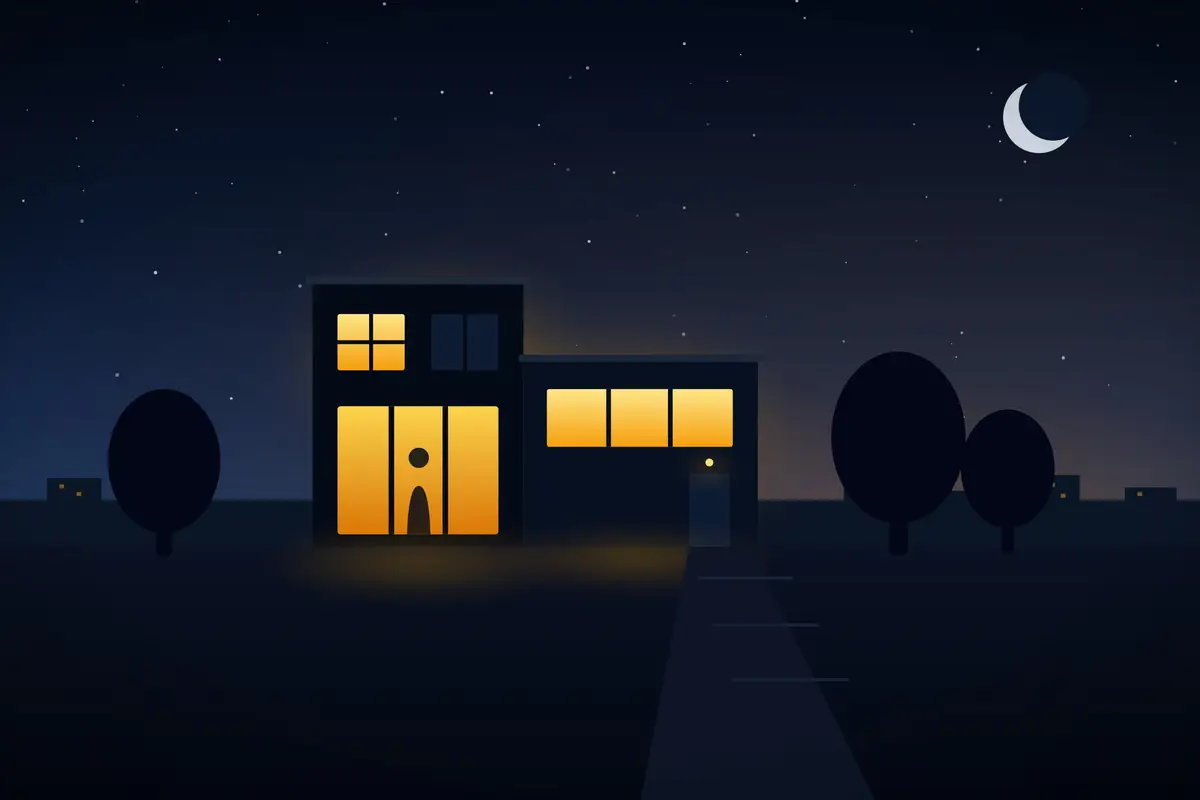
Every summer, the same thing happens: we close the door, wheel the suitcase away and the house spends a fortnight telling its own story to anyone who cares to read it. Blinds down at all hours, not a single light at dusk, the same silence day after day. For someone who spends two evenings watching a street, there's no clearer sign saying “nobody's home”.
This isn't paranoia: the crime reports from Spain's Ministry of the Interior (in Spanish) record tens of thousands of domestic burglaries in Spain every year, and burglars don't pick homes at random — they pick homes that look empty. The good news is that these days, making sure yours doesn't look empty doesn't mean asking the neighbours for favours: home automation does it on its own, better, and without anyone having your keys.
Why the good old timer doesn't fool anyone any more
The classic trick — a mechanical timer plugged into a lamp — starts from a good instinct and fails in the execution. It switches on the same light, at exactly the same time, every day. The first evening it might get away with it; by the third, that punctual click at 21:00 in the same corner of the living room gives the game away as much as total darkness, because no lived-in home behaves with such military discipline.
A home with people in it is irregular by nature: one night dinner is late, another there's a film on with the lights off, the bathroom light goes on for two minutes at midnight, the bedroom blind doesn't go up at exactly the same time. It's precisely that irregularity a timer can't imitate — and that a smart home system reproduces effortlessly.
What presence simulation with home automation is
It's a routine in the system that, when you switch on holiday mode, reproduces your home's behaviour as if you were still there. It doesn't just switch bulbs on: it coordinates lights, blinds and other devices on schedules that change every day within realistic margins. Well-designed systems add random variation — today the living room from 21:04 to 23:40, tomorrow the kitchen a little earlier, the hallway for two minutes in the small hours — and adjust switch-on times to each day's actual sunset, which in August shifts by almost a minute a day.
The conceptual difference from the timer is simple: the timer runs a schedule; this plays a role. And it plays it from your script, because the best simulation isn't a generic one, but the one that copies the real habits of your home.
The four pillars of a convincing simulation
1. Lights that live their own life
This is the foundation. With smart lighting, each room can switch on and off independently, at different brightness levels and in sequences that never repeat: the living room at dusk, then the kitchen for a while, the bedroom last. Seen from the street, the house “moves”. One detail that multiplies the realism: switching the lights on relative to sunset, not at a fixed time — the system works it out by itself every day.
2. Blinds that move at natural times
A fortnight of blinds stuck in the same position gives you away more than any light. With motorised blinds, the system raises them in the morning and lowers them at dusk, with a few minutes' variation and never all at once — just as anyone would. As a bonus, they do their other summer job: coming down during the hours of strong sun so you don't come home to an oven.
3. Sound at just the right moments
You don't need — and don't want — music playing for eight hours. A TV or a speaker that comes on for a while around dinner time, at normal household volume, is enough. For anyone listening from the landing or the street, that intermittent murmur is a sign of life that's very hard to fake by traditional means.
4. The outside counts too
If you have a terrace or garden, watering that starts on schedule, a porch light that responds to dusk or an outdoor area that lights up now and then complete the picture. A neat, well-watered garden says “someone's here” as clearly as any lit window.
Simulating isn't enough: who's keeping watch in the meantime
Presence simulation is a deterrent — it greatly reduces the chances of your home being the one that gets picked. But complete peace of mind comes from combining it with a layer of cameras and an alarm with no monthly fees: contact sensors on doors and windows, motion detection and cameras that record locally. If something opens when it shouldn't, an alert reaches your phone within seconds, with the image right in front of you, whether you're on the beach or in another country. And along the way it watches over what the simulation doesn't cover: a water leak or a smoke sensor going off in an empty house triggers an alert just the same.
All from your phone — and without depending on the cloud
Switching on holiday mode is one tap in the app before you leave, or it happens automatically when the system detects that the family's phones have left. While you're away you can check the state of the house, look at the cameras or switch on a particular light on demand. And there's one detail that matters more than ever in August: if the system runs on your local network, the routines run inside your home and keep working even if the internet goes down or a manufacturer's server fails — the simulation isn't left half-done because of a fault somewhere else, a thousand kilometres from your living room.
Renting? You can do it too
In its basic version, none of the above needs building work or the landlord's permission: smart bulbs and plugs, wireless sensors and an indoor camera go in without touching a wall and come with you on your next move. In fact, it's one of the most common ways into home automation: it gets set up for one holiday and stays for the rest of the year.
Checklist before you close the door
- Switch on holiday mode and check for a couple of nights beforehand that the sequence looks natural from the street.
- Schedule lights relative to sunset, not at fixed times, and in more than one room.
- Leave the blinds on a routine: daily movement with variation, never stuck in place for a fortnight.
- Test the phone alerts: open a window with the alarm armed and confirm that the notification comes through.
- Check the cameras' coverage and that local recording has free space.
- Don't announce the trip on social media until you're back — the best simulation can't compete with a photo of your suitcase at the airport.
- Turn the water off at the stopcock if you don't have leak sensors; if you do, check that they send alerts.
Common questions
Isn't it obvious that the lights are switching on by themselves?
It's obvious when the automation is poor: the same lamp, at exactly the same time, every day. A well-designed simulation starts from your real routine and adds random variation — each day it switches on different rooms, at slightly different times and for intervals that don't repeat. From the street, that pattern is indistinguishable from a lived-in home, because it's exactly the pattern of a lived-in home.
Does it keep working if the internet goes down at home?
With a system on your local network, yes. The lighting and blind routines run on the server inside your home, so the simulation carries on even if the router loses its connection. The only thing you'd lose until the line comes back is checking in remotely from your phone. With a cloud-dependent system, on the other hand, an outage can leave the house dark and without routines just when you need them most.
How much does it cost to set up presence simulation?
It depends on what you build it with. The most common foundation is smart lighting, from €600, and automating blinds that already have a motor, from €400. If you want to add the surveillance layer — cameras with local recording and an alarm with no monthly fees — security starts from €900. There's no need to install everything at once: you can start with the lights and add more later, because it all runs on the same system.
Will the blinds I already have work?
In most cases, yes. If they're already electric, a small module is added behind the switch and they become part of the system. If they're manual, with a pull strap or a crank handle, a blinds specialist first has to motorise them — we don't fit motors — and then the module is added in the same way. From then on, they take part in the simulation and in the rest of the home's routines.
What if I'm renting?
You can still do it. With smart bulbs and plugs, wireless sensors and an indoor camera, not a single cable or wall gets touched: everything is installed with no building work and taken down in an afternoon when you move, ready to be set up again in your next home. The only piece that's usually left out in a rental is motorising the blinds, if the landlord doesn't authorise it.
In short
A home that looks lived-in is a home almost nobody chooses to break into. The good old timer no longer passes that test; a well-designed presence simulation — lights with random variation, blinds on a routine, a little sound and the outside in action — does, and it also alerts your phone if something isn't right. It's built from the same pieces you use the rest of the year to save money and live more comfortably, so the investment doesn't just work for a fortnight: the holidays are simply its night shift.