
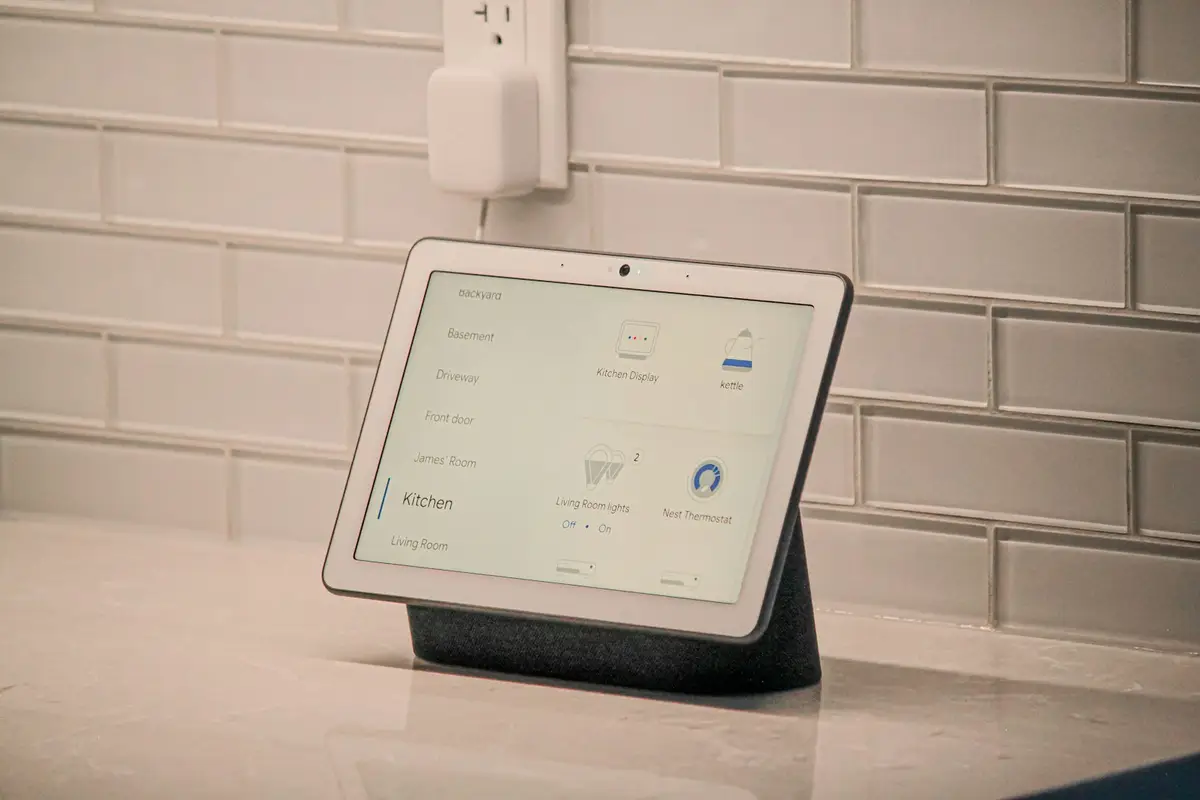
Home automation is the set of technologies that let you automate and intelligently control a home: lighting, heating and air conditioning, blinds, security and energy use. The devices talk to each other over a network and act on their own — based on schedules, presence or sensor readings — or under your control from an app, by voice or with the same wall switches you've always used.
If you're just starting to look into it, this guide explains exactly what home automation is (and what it isn't), how a home automation system works on the inside, what you can automate in your home today with real examples, what types of system exist and how much it costs to take the first step. Jargon-free and down to earth.
What is home automation? A simple definition
In Spanish it's called “domótica”, from the Latin domus (house) and the ending of automática (automatic): literally, “a house that acts by itself”. Here's a practical definition: home automation is the nervous system of a home. Just as your nervous system gathers information from your senses and tells your muscles how to respond, a home automation system gathers information from sensors (temperature, presence, light, open windows) and tells devices what to do (switch on, switch off, raise, lower, adjust).
It's just as important to understand what isn't home automation. A Wi-Fi bulb you switch on from your phone, or a standalone smart plug, isn't strictly speaking home automation: it's a modern remote control. Only when devices are integrated into a shared system and work together — the blind comes down because the temperature sensor detects the afternoon sun, the heating pauses because a window has been open for five minutes — can we talk about a truly automated home.
Two bits of vocabulary you'll come across often: “smart home” (“casa inteligente” in Spanish) is a marketing term used as a synonym for an automated home; and when the same technologies are applied to office buildings, hotels or shops, the technical term is building automation (“inmótica” in Spanish).
How does a home automation system work?
Every home automation system, from the simplest to the most complete, combines five elements:
- Sensors — the senses. They measure what's happening inside the home and outside: temperature, humidity, presence, light levels, doors and windows opening, electricity use, smoke or water leaks.
- Actuators — the hands. They carry out orders in the physical world: relays that switch circuits on, motors that move blinds, valves that regulate radiators, motorised locks.
- Controller or hub — the brain. A small central unit where the rules are defined and which coordinates everything else. This is where the system's “intelligence” lives.
- The network — the common language. Devices talk to each other using protocols such as Zigbee, Z-Wave, Thread, Matter or Wi-Fi. The first three create very low-power mesh networks, ideal for battery-powered sensors; Matter is the newer standard that aims to get every brand working with every other. In new builds there are also professional wired systems that communicate over a dedicated bus.
- The interfaces — how you use it. An app on your phone, voice assistants, wall panels, or good old-fashioned physical switches that quietly trigger complete scenes.
Once the pieces are in place, the real value lies in the automations: rules along the lines of “if this happens, do that”. For example: if it's a weekday, my wake-up time is 15 minutes away and the bathroom is below 21 °C, switch on the bathroom radiator and gradually raise the bedroom blinds. Nobody presses anything: the house does it by itself, every day, without ever forgetting.
The best home automation is the kind you don't notice: it doesn't add screens or complications to your life, it simply gets rid of repetitive chores and the slip-ups that cost you money.
What does home automation look like at home? Real examples
Theory is easier to grasp with concrete examples. This is what home automation does, today, in real homes:
- Lighting. Lights that come on when they detect someone and switch themselves off in empty rooms; “cinema”, “dinner” or “reading” scenes with just the right brightness and warmth; soft automatic lighting in the hallway if you get up in the middle of the night.
- Climate control. Thermostats that learn your routine, room-by-room heating (only the rooms in use get heated), an automatic pause when a window is opened, and the bathroom warmed up before your alarm goes off.
- Blinds and awnings. They adjust to the position of the sun: in summer they block the afternoon sun so the house doesn't overheat; in winter they let it in to save on heating. When you go to bed, they all come down with a single tap.
- Security. Door and window sensors that alert you if something opens when it shouldn't, smoke and water-leak detectors that notify your phone instantly, cameras that record locally and presence simulation while you're away.
- Energy. Real-time consumption monitoring to find out what's using too much, standby power automatically cut off at night, and making the most of off-peak hours — or your surplus solar power, if you have panels — for any loads that can be scheduled.
The common thread: the house adapts to your routine, not the other way round. You don't have to remember anything or “manage” the system day to day.
The benefits of home automation
The benefits fall into four areas:
- Energy savings. This is the most measurable benefit: by heating, cooling and lighting only what's in use, only when it's in use, and by managing blinds and standby power, an automated home can cut its energy use by up to 40%. The savings run on autopilot, with no daily effort.
- Comfort. The right temperature before you get home, the right light for every moment, and no more “did I switch off…?” as you head out: a single tap — or none at all — leaves the home exactly as it should be.
- Security. A home that keeps watch for you: instant alerts about smoke, water or intruders wherever you are, and convincing presence simulation when the house is empty.
- Accessibility. The least advertised benefit, and perhaps the most valuable: for older people or those with reduced mobility, controlling blinds, lights and temperature by voice or from a panel means real autonomy and extra years of independence in their own home.
Types of home automation system
Rather than memorising brands, it's more useful to understand the three key differences between one system and another:
- Wired or wireless. Professional wired systems communicate over a dedicated bus: they're very robust, but they require building work and mainly make sense in new builds or full renovations. Wireless systems (Zigbee, Z-Wave, Thread) are installed with no building work in existing homes, with excellent reliability and easy expansion, one piece at a time.
- Cloud-based or run locally. Many commercial products depend on the manufacturer's servers: if their cloud fails or they start charging a fee, your home pays the price, and your presence and energy-use data leave the house. A local system processes everything inside your home: it keeps working even if the internet goes down, and your data never leaves your network. This is our speciality, and we cover it in depth in our guide to cloud-free home automation.
- Closed or open. Closed, single-brand ecosystems are convenient at first, but they tie you to that brand's catalogue and its decisions. Open platforms bring devices from hundreds of manufacturers together under one roof; the benchmark is Home Assistant, the open-source home automation platform we work with, which combines the best of all three: wireless, local and open.
How long has home automation been around?
It may sound like recent technology, but home automation has been evolving for half a century. The first domestic systems appeared in the late 1970s, sending signals over the home's own electrical wiring: they were expensive, slow and very limited, and for decades home automation was saddled with a reputation as “something for luxury homes”. In the 2000s, professional wired systems became established in new builds — robust, but reserved for big budgets and full renovations.
The real change came in the 2010s, with two developments at once: low-power wireless protocols, which did away with the need for building work, and the smartphone, which put a universal interface in everyone's pocket. Prices fell, and home automation stopped being an indulgence and became a home improvement on a par with replacing your windows. Today, with open standards like Matter and platforms that process everything locally, the question is no longer whether your home can have home automation, but which automation to start with.
How much does it cost to install home automation?
It depends on the size of your home and how many systems you want to integrate, but to give you an honest reference point: a basic installation for a flat of around 80 m² — lighting, climate control and security — starts from €2,500, with a no-obligation visit and quote. Because the systems are modular, you can start there and expand later without redoing anything that's already installed.
And it's worth seeing it for what it is: an investment that pays for itself. In a home, the energy savings pay it back year after year, on top of the security, comfort and added value for the property; in a business, where lighting and climate control run for many more hours, the investment is recouped in under 3 years. If you'd like to see what it would include in your case, our smart home installation page sets out the systems, warranties and installation process in detail.
Where should you start?
You don't need to automate everything in one go — and it isn't a good idea anyway. Our advice is to start with whatever bothers you most: if it's the bills, climate control and blinds; if it's peace of mind, sensors and cameras; if it's everyday comfort, lighting and scenes. A good first project is small, solves something specific and leaves you room to grow.
If you'd like to picture what living in an automated home feels like — what happens in the morning, when you leave, when you get back — we have a whole article on real automations for everyday life. And if you'd rather look at it together in your own home, at 2SmartHome we always start the same way: by listening to how you live, not by selling gadgets.